
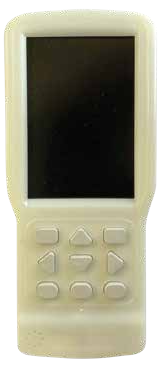
 AVRXPK-1
← Lift control systems
Lift control systems
Programmer & keypad
AVRXPK-1
Handheld terminal for parameter monitoring, menu settings and software updates on AVIREX drives.
- Connection
- CAT5 cable
- Software medium
- SD card
- Functions
- Parameter monitoring / Menu settings / Software update
PRODUCT DATA
Technical information
Values are listed according to the fields in the product catalogue table.
| Specification | Value |
|---|---|
| Connection | CAT5 cable |
| Software medium | SD card |
| Functions | Parameter monitoring / Menu settings / Software update |
System features
- Main, parameter monitoring and menu setting screens
- Support for loading company-specific MODBUS software
Terminal usage notes
Sequence provided in the catalogue. Confirm software and board version compatibility during service.
Software update
- Connect to the drive with a CAT5 cable.
- Insert the SD card into the appropriate slot.
- After powering the panel, continue with F1.
- Select the board to update and press Enter.
- Wait until the program update is complete.
- Use F2 and F3 to move between menus.
Use as a keypad
- Press Enter to open the parameter screen.
- Use the arrow keys to review parameters.
- Hold F3 to enter the DRIVER menu.
- Place the panel in inspection mode to access settings on the displayed screen.
Product & application views
BACK TO PRODUCT GROUP
↗